
Getting Started
Run AirStack Edge
Once Edge has been configured, the system service will already be running and can be queried using systemctl with the standard start, stop, status, enable, disable commands. For example, to check the status:
systemctl status airstack-edge
The inference server logs can be queried like any other docker container:
docker ps -a
docker logs airstack-edge-inference-server
The server.toml file found in /etc/airstack-edge defines all runtime configuration for the AirStack Edge server, including network settings, performance tuning, security, and application-specific options. Any changes to this file will cause your Edge instance to restart.
Note: For production use of AirStack Edge the mode setting in the configuration file should be set to production.
Client User Interface
AirStack Edge includes a client user interface (UI) that is optionally published at https://<hostname:port>/ui/. The default port chosen by the application is 3000. This is an easy way to gain familiarity with the API for first time users but not recommended in production environments.
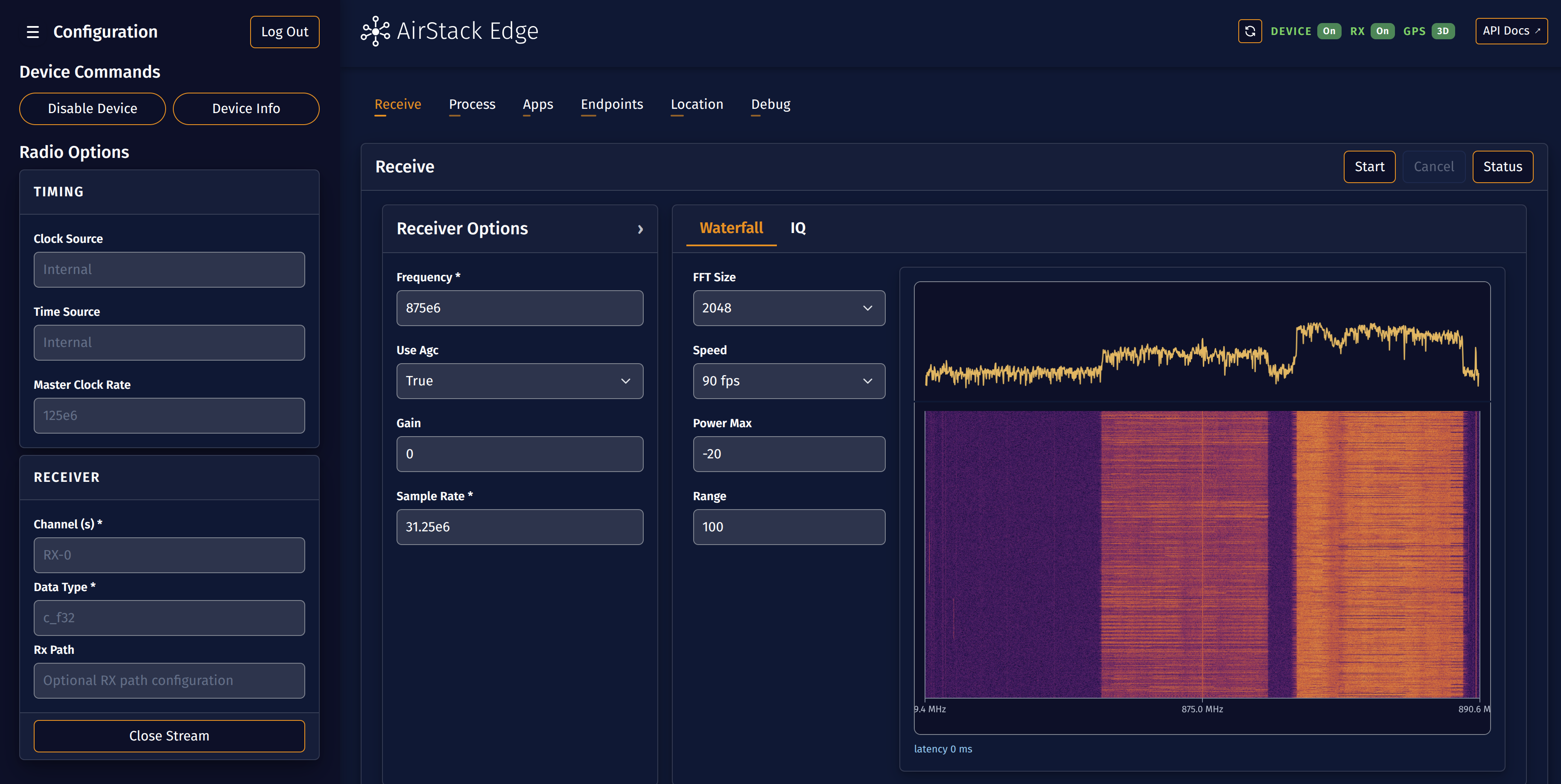
The UI is controlled by the client_ui flag in your server.toml configuration and is enabled by default. This may be modified:
- Open the config file in use (likely at
/etc/airstack-edge) - Set the flag under
[application]:
[application]
client_ui = true  # set to false to disable
Operating the Client UI
- Open the UI in a browser at
https://<hostname:port>/ui/. - Enter a bearer token in the "Connect to Device" authenticate screen. The UI verifies the token by calling a device endpoint and, if you choose "Remember Me," stores the token in a cookie. For more information on creating a Bearer token, see the Configuration Section.
Documentation
When AirStack Edge is running, the full API documentation is published as a Scalar webpage:
https://hostname:port/docs/
Use the download button in the Scalar page to save the OpenAPI JSON schema.
Next: AirStack Edge Tutorials